Latest Updates
June 2026 — Zoom AI Companion
Delivering powerful, real-time capabilities to help users improve productivity and work together more effectively.
Available Zoom AI Features:
- Enable AI Companion from the Zoom Web Porta
- Live Transcription: Real-time speech-to-text captions with a saved transcript file
- Cloud Recording: Automatic meeting recording saved securely to your Zoom cloud account
- Smart Recording: AI-generated chapters, highlights & summary for cloud recording
Check Zoom AI User Guide for more details
November 2025 — CiscoEnterpriseNetworking
Our unified and modernized infrastructure now spans both campuses, delivering enhanced security, real-time analytics and proactive management. Downtime has been reduced from hours to just minutes, and the system now fully supports smart classrooms, IoT integration and advanced digital learning tools.
October 2025 — AUC’s commitment to strengthening IT services through secure
Another step forward in our digital journey: The American University in Cairo has been recognized with the Strategic Partnership Award 2025 at the Sana Soft–ManageEngine Strategic Customer Summit 2025.
This award reflects AUC’s commitment to strengthening IT services through secure, user-centered remote support, now powered by ManageEngine. The platform adds new layers of security to every support session, including:
- User consent before a session begins
- Full recording of all support sessions
- Fresh consent for each new session
More about AUC Digital Transformation
September 2025 — Successful launch of Banner 9 Registration
Key features designed to enhance the student experience include:
- Plan Ahead: Build and save your course schedule in advance, then register with one click
- Degree Works Integration: Sync your courses with your academic plan to stay on track
- Improved Experience: A clean, mobile-friendly interface for easier, faster registration
More about AUC Digital Transformation
June 2025 — AUC recognized with the Excellence in Academic Cyber Defense Award
The American University in Cairo has been recognized at the FDC Summit 2025 with the Excellence in Academic Cyber Defense Award, honoring the University’s ongoing efforts to build a secure and resilient digital campus.
May 2025 — AUC Recognized for Digital Process Innovation in Higher Education
The American University in Cairo has been recognized by Laserfiche as a global leader in digital transformation in higher education. The announcement, made during Laserfiche’s Empower 2025 conference, highlights AUC’s success in streamlining administrative processes, improving service delivery and driving institutional efficiency through intelligent automation.
More information on the recognition
Previous Updates
2023

AUC is launching a new Device Management Service (DMS) to manage University-owned devices and their configurations. This is a significant upgrade in our IT infrastructure to improve efficiency and security for our community.
The DMS will ensure University-purchased and maintained computers and devices are up-to-date, secure and have access to the latest University-licensed software and applications. DMS will also help protect against unauthorized access to data, content and applications on a device in the event a device is lost or someone gains unauthorized access to it. It is a proactive approach to ensure our computer systems and network are safe, secure and available for teaching, learning, research and serving our community. This is part of IT’s larger strategy to focus on enhancing educational outcomes, driving business decisions and improving operational efficiency. DMS will provide three immediate benefits for you:
- Safer computing: Achieve more effective protection from malware and identity theft.
- Asset inventory: Obtain data for fiscal stewardship and more accurate assistance with problems, including the inventory of University-owned computers and software
- Automated provisioning: Experience faster deployment, redeployment and rebuild of computers, coupled with remote deployment of software updates for common programs like Microsoft and Adobe products. Moving forward, all University-owned computers must be enrolled in the DMS, and any software or configuration change on those devices will be carried out by IT. Over the coming weeks, our IT team will reach out to you directly to implement these changes on your AUC-owned device(s). Please know that we are implementing DMS thoughtfully, keeping in mind AUC's mission and business needs, as well as ensuring a safe computing environment for our community while minimizing disruptions.
A number of information sessions will be conducted to explain the project and its implications and address any concerns you may have. For details and updates on DMS, please check our Digital Transformation webpage. You can also find a comprehensive list of frequently asked questions that will address common queries and concerns about DMS. If you have specific questions or suggestions about the DMS project, we encourage you to submit them through our online feedback form. Additionally, the IT support team will be available to help. If you encounter any issues, please open an IT ticket.
We appreciate your cooperation and understanding as we undertake this important infrastructure enhancement and strengthen data security across University campuses.
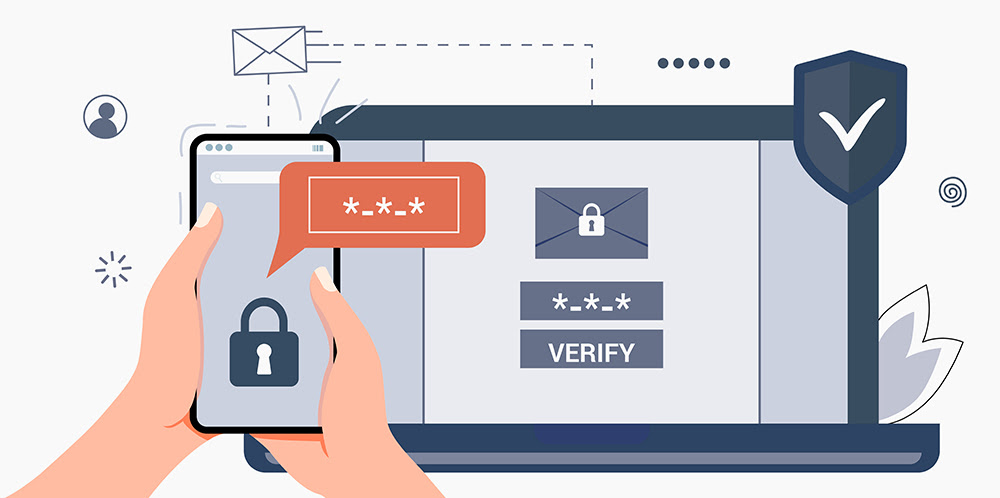
The implementation of Multi-Factor Authentication (MFA) for the entire AUC community. The project will be rolled out in phases, with the next phase focusing on all AUC Staff. We want to inform you that today, Monday, July 31, 2023, at 12 pm, MFA will be activated for your account to provide secure access to your AUC account and resources. Your support and involvement in this phase are crucial to ensure a smooth and successful rollout.

As part of the first phase of our Single Sign-On (SSO) implementation, we have already applied it to Blackboard, Library Space Booking, My AUC Mobile App, LinkedIn Learning, and SAP Success Factors. Now you can access all those applications and services only once and with just one set of login credentials.
We are excited to inform you that phase two of the SSO integration is scheduled to go live on April 11, 2023. This phase will include the Google Workspace applications such as Gmail, Google Drive, Google Docs, and many more.
We believe that this new simplified authentication process will streamline your user experience and make it easier for you to access the tools and resources you need to succeed in your academic and professional endeavors. It should also save you time, improve productivity and reduce the risk of security breaches.
We are writing to inform you about an important update regarding the AUC Mobile app. As of April 1, 2023, the AUC Mobile app will be replaced with a new application.
As per the announcement shared earlier this month, we have launched a new mobile app that will provide you with even more services and features. The new app, called My AUC, is available for download on both iOS and Android devices.
The new app offers a variety of features that will make your campus experience more convenient and streamlined. Some of the key features include:
- Easy access to course schedules and academic information
- Maps to help you navigate the campus
- A directory of support offices and contacts
- Bus schedules and subscription information
Note: AUC Pay is not currently supported on the mobile channel. However, you can still access your account through the AUC Pay Web Portal. We apologize for any inconvenience this may cause.
We encourage you to download the new app and explore all of its features. We believe that it will greatly enhance your overall campus experience. We are constantly working on enhancing the app, so stay tuned for additional exciting features and updates in the near future. To download the app, click here.
Starting March 15, 2023, we will ll be rolling out the new SSO (Single Sign-On) system. Single sign-on is an authentication method that allows users to sign in using their AUC credentials to multiple independent software systems. Using SSO means a user doesn't have to sign in to every application they wish to access.
This newest upgrade will allow an easier, faster, more reliable, and more secure way to log into the multiple AUC applications and software tools used on a daily basis. Signing in will grant you access to the below list of AUC applications and more apps in the near future.
Important Tips:
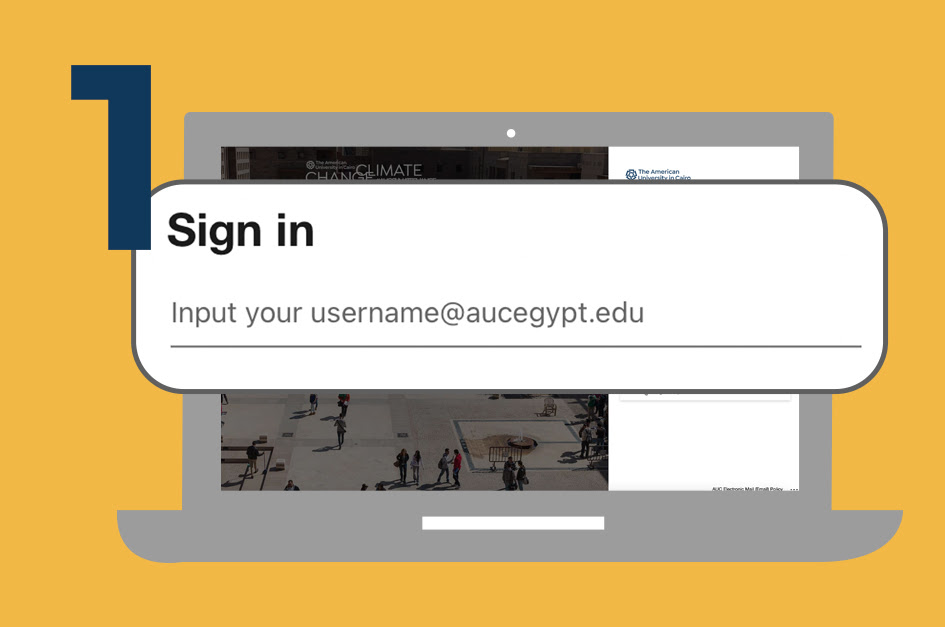
1. Sign In Using Your Full Email
To sign in, you need to write your full email (e.g., john@aucegypt.edu) and not just your username (e.g., john)
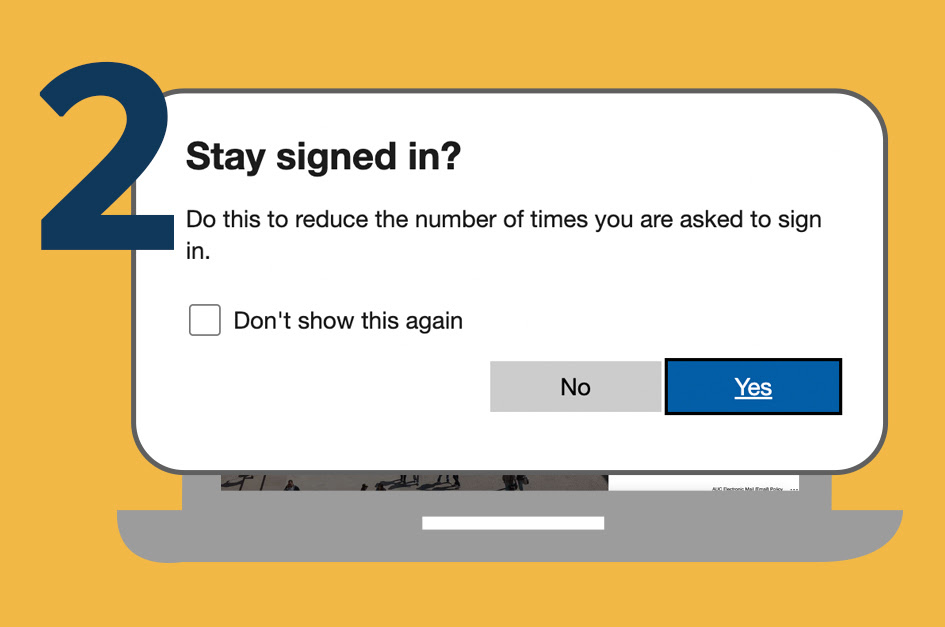
2. Stay Signed In
To reduce the number of times you are asked to sign in, choose to Stay signed in. This will allow you to remain logged in until you sign out manually.
Security Note: Avoid using this option if you are using a public machine.
Our support team is available to answer any questions you might have! Open an online IT ticket on the IT Support Portal if you need help.
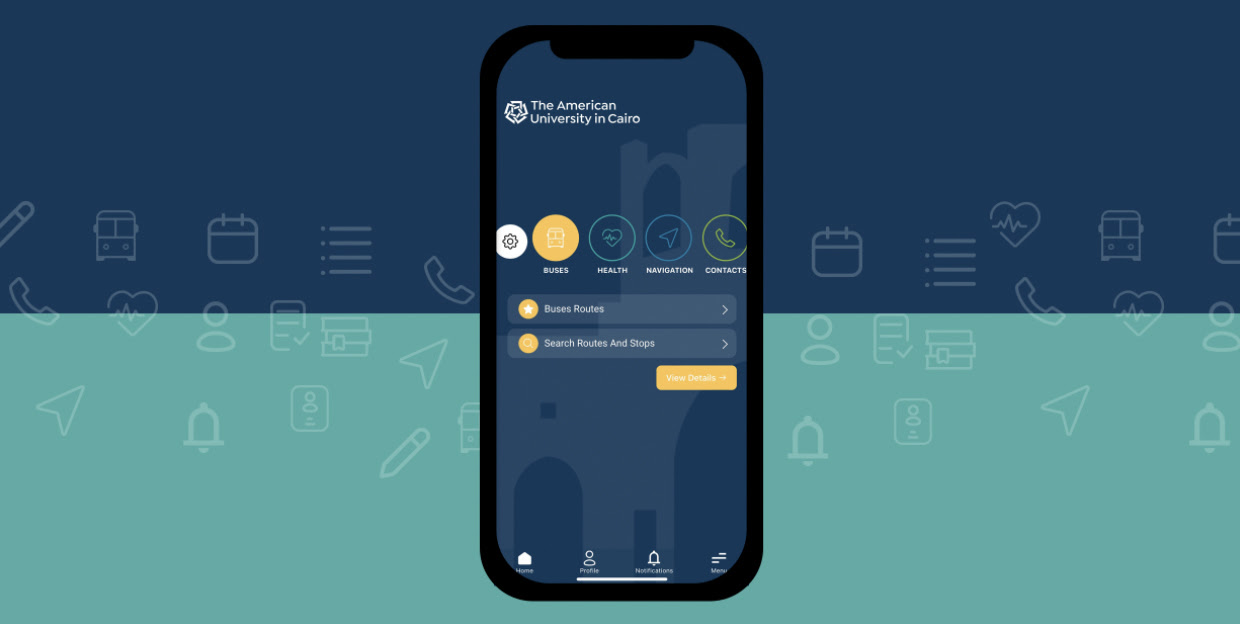
We are excited to announce the release of AUC's new mobile application, My AUC. Our Digital Transformation team worked hard to get this out with a bundle of highly requested features by the AUC Community. Thanks to all the offices that partnered with us. Also, a special thanks to all students, faculty, and staff members who helped us test the Beta version.
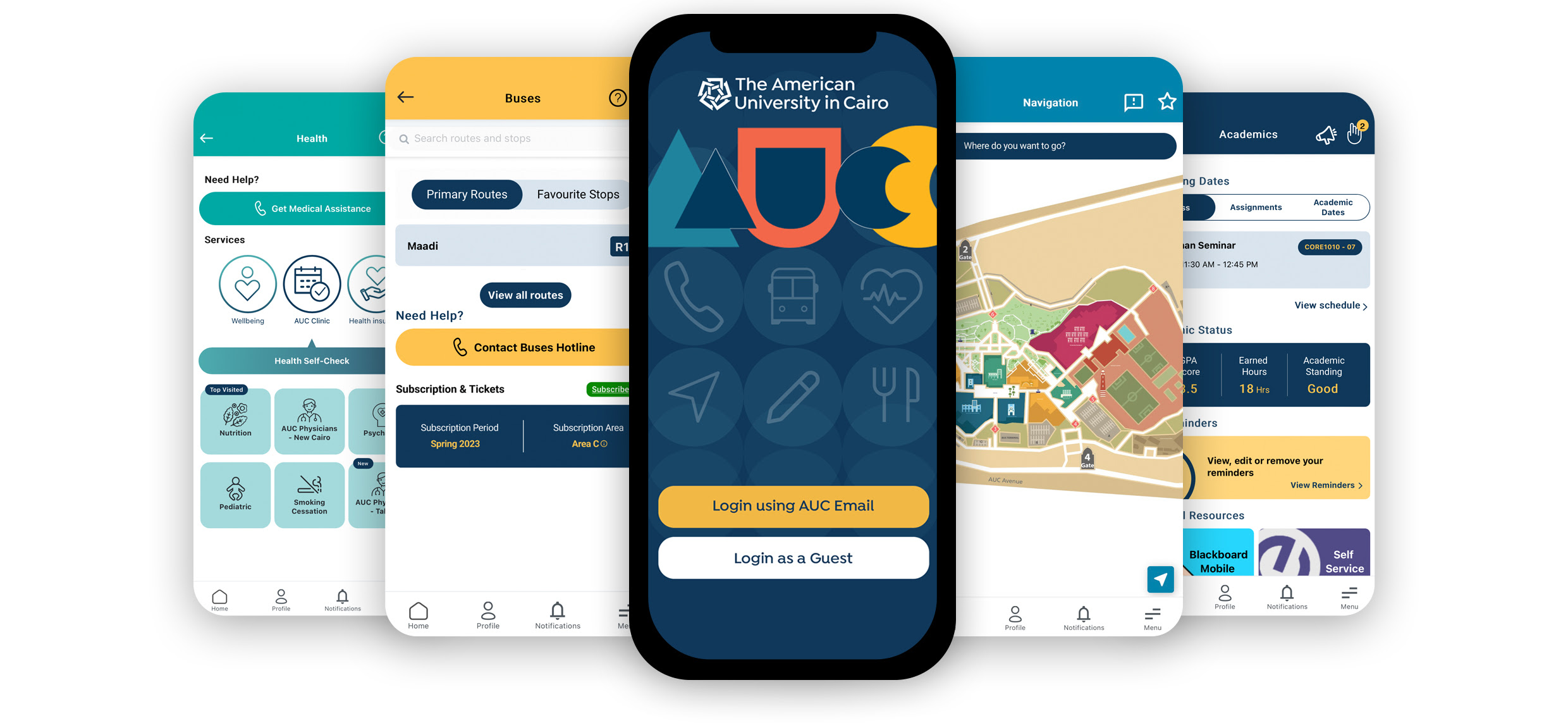
What Is the App About?
My AUC is a mobile application offering a personalized view to AUC students, faculty, staff, and guests to support the on-the-go AUC digital experience through the preferred mobile channel. By downloading My AUC, you'll get access to a central mobile hub that connects information relevant to you from multiple channels and systems. Here is a summary of what you access through the app in its first release, with more features on the way.
 CONTACTS
Get Connected Effortlessly
- Pin Your Key Contacts
- Open IT Tickets
- Get Suggested Contacts for You
 BUSES
BUSES
Informed Commuting
- View Bus Schedule
- Get Route Updates
- Navigate to Stops
 HEALTH
Be Well and Healthy
- Medical Hotlines
- Wellbeing Resources
- On Campus Clinics
- Health Insurance
 NAVIGATION
Never Lost Again
- Explore Campus Maps
- Reach Destinations
- Pin Favorite Locations
 LIBRARY
Read Your Better Future
- Access to My Library App
- Check Library Fines
 ACADEMICS
Multiple Systems, One View
For Students:
- Check Your GPA
- Track Assignments
- Contact Professors
For Faculty:
- View Schedule
- Check Items to Be Graded
- Email Students
How do I update my contacts?
To update your emergency contacts:
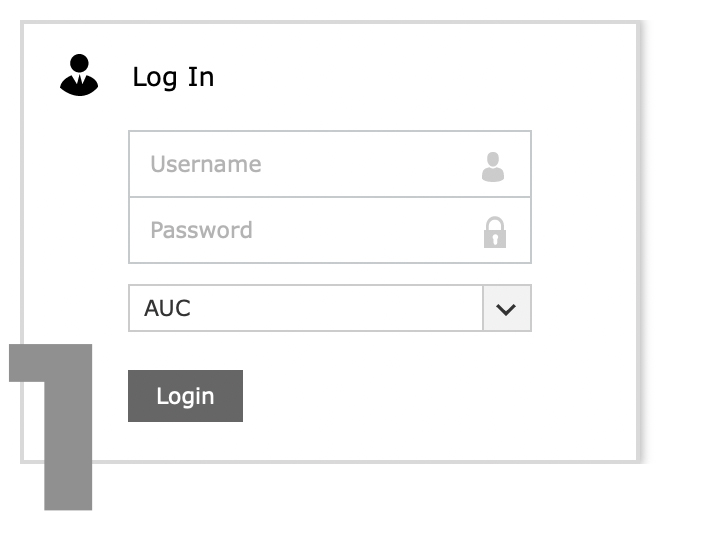
- Login to the AUC Profile Portal
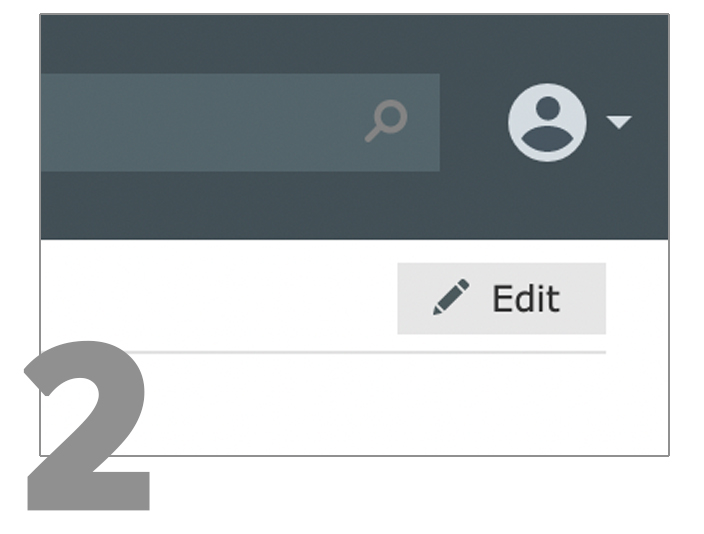
- Press the Edit button on the top right of the screen
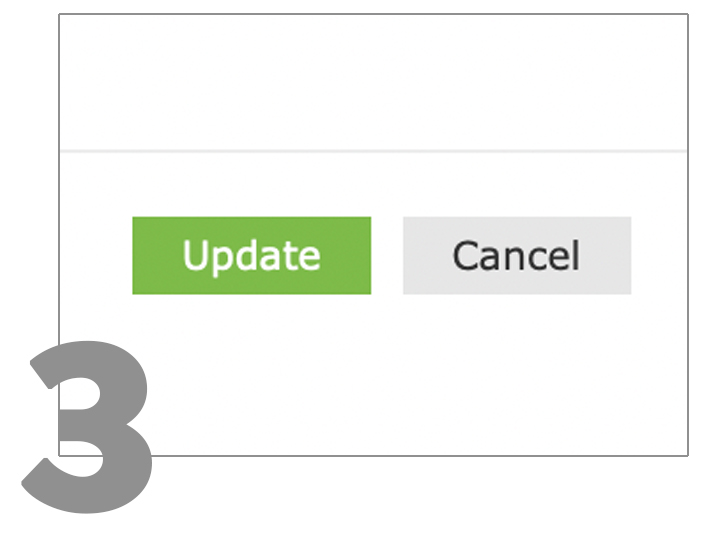
- Update your Contacts and Emergency Contacts sections and press the Update button to save your changes
A confirmation notification message will appear on the top of your screen to confirm your edits. You will also receive an email notification confirming the update.